
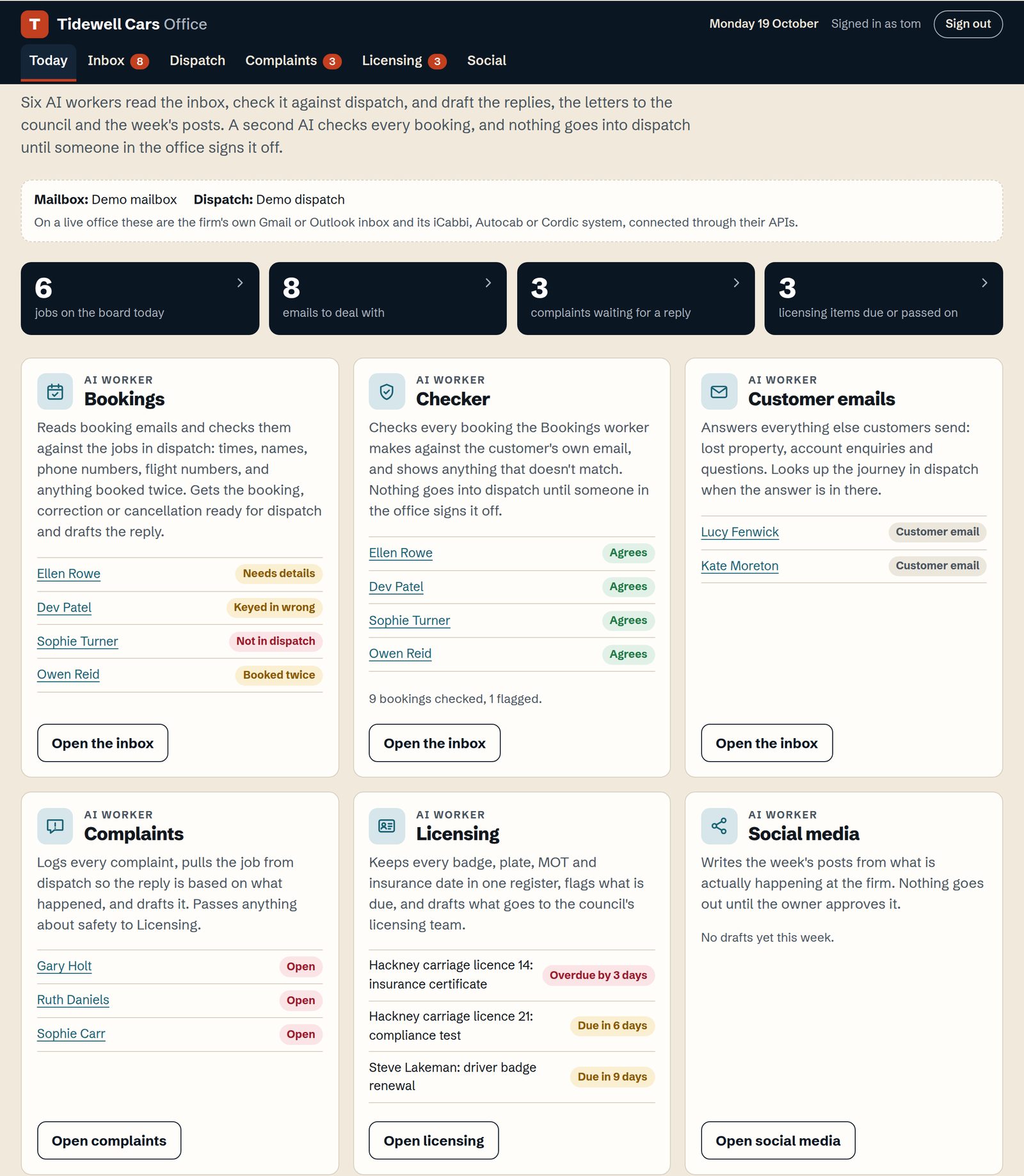
Five workers, set up around your firm
Each worker does one job in your office. They draft the work and flag what needs attention, and someone in your office decides what goes out.
- Bookings
- Reads booking emails and checks each one against the job in dispatch. Prepares the reply and the booking change, and nothing goes into dispatch until a controller approves it.
- Customer emails
- Answers lost property and account questions, looking up the journey in dispatch when the answer is there.
- Complaints
- Logs every complaint and pulls the job from dispatch, so the reply is based on what happened. Anything about safety goes straight to licensing.
- Licensing
- Keeps every badge, plate, MOT and insurance date in one register and flags what is due. Drafts what goes to the council's licensing team.
- Social media
- Writes the week's social media and advertising posts from what is happening at the firm. Nothing goes out until you approve it.
The AI booking checker
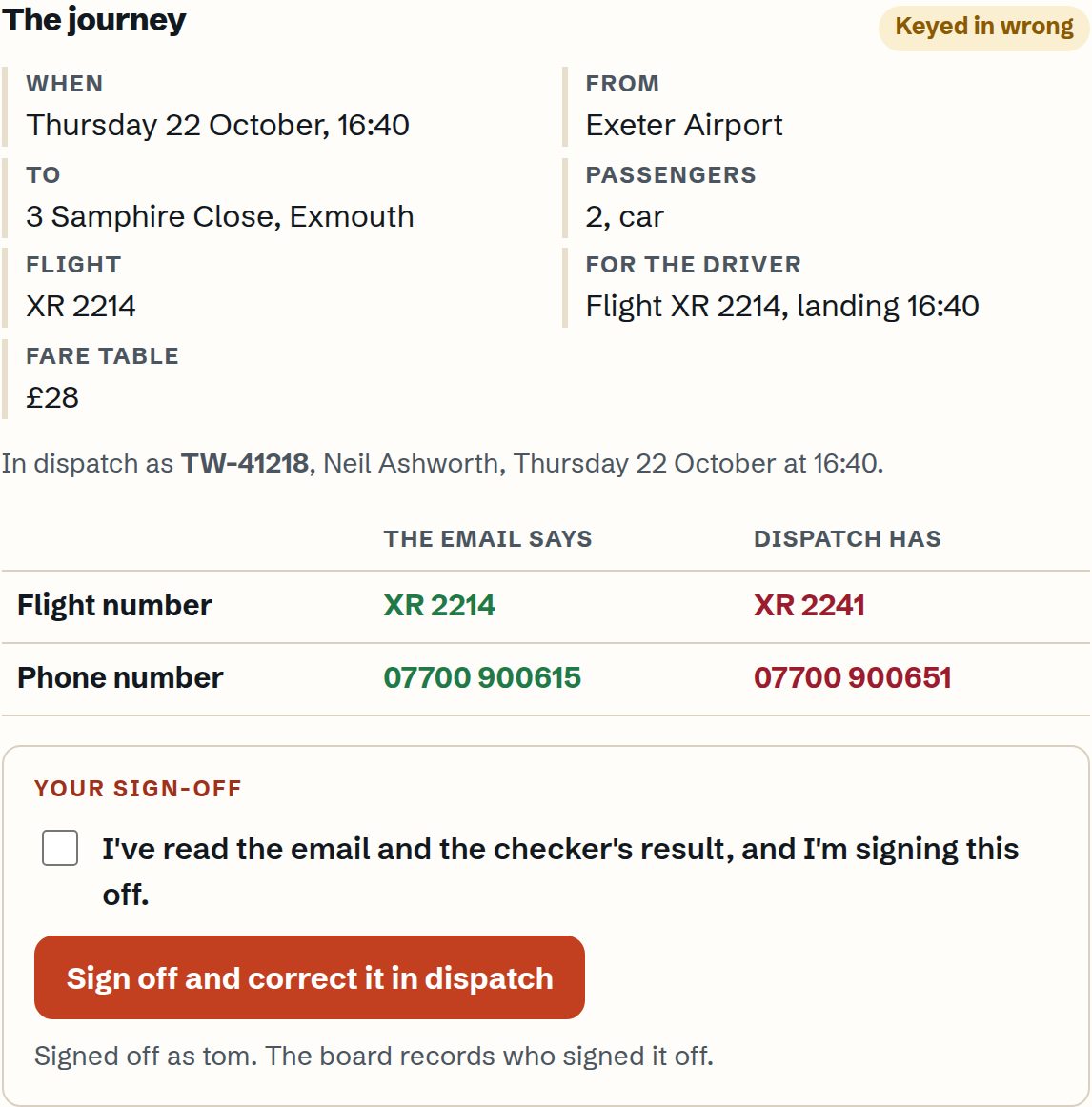
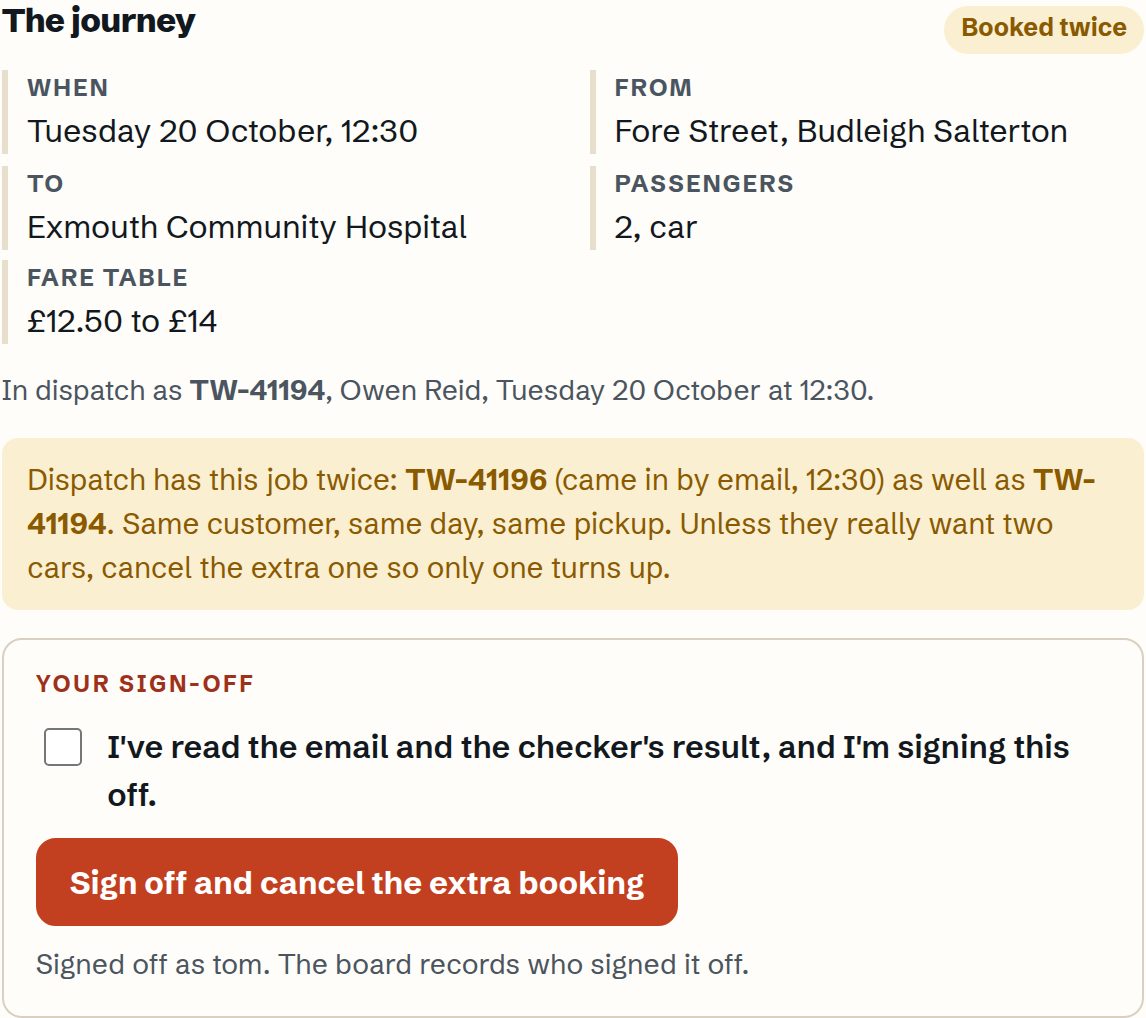
Every booking that arrives by email is checked against the job in your dispatch system. When something does not match, your controllers see it before the car is sent.
What it looks for:
- A date or pickup time that does not match the email
- A pickup address or destination entered differently
- A flight number missing from the job or entered differently
- The customer's name spelt differently on the job
- A phone number on the email that differs from the one on the job
- The wrong number of passengers, or a wheelchair accessible car or larger vehicle asked for and not booked
- The same job booked twice, which usually happens when a customer rings and emails
- An emailed booking with no job in dispatch, or a return asked for and not booked
- A change or cancellation the customer asked for that has not been made in dispatch
A second AI then reads the customer's email again on its own and checks the booking before anyone signs it off.
It flags and prepares the correction. A controller approves every change.
It does the admin. Your controllers make the calls.
The workspace drafts and flags. Your staff approve anything that matters, and every worker only sees what it needs for its job.
Set up around your firm
Every workspace is set up with your own procedures and prices, so replies sound like your office and not like a computer.
It connects to iCabbi, Autocab, Cordic and the other main dispatch systems through their APIs, with access arranged with your provider. We'll confirm yours on the call.
Built by someone who ran a taxi office
Tom Arrington owned and ran Abacus and Falmouth Taxis in Cornwall for nearly twenty years, the last eight or so on iCabbi. At its peak the firm was doing around 3,500 jobs a week. Most of the mistakes that cost it money started in the office, with an email read too fast or a date nobody was watching. This is what he would have wanted in that office. Read the Abacus and Falmouth Taxis story.
Buy one or both
The office workspace
£999
To set up, with the workers agreed around your firm.
A website for your firm
£999
Bookings made online go straight into your dispatch system. About the website
Both together are £1,998.
Support after setup is optional. If you would like it, we agree a monthly price with you on the call. It's your choice.
Questions
Does it replace my controllers?
No. It takes the emails and admin off them so they can run the operation.
Which dispatch systems does it work with?
iCabbi, Autocab, Cordic and the other main systems with an API. We confirm yours before you commit.
Where does my customer data go?
You choose. Before setup we agree with you where your data is held and who can see it, and we put that in writing.
Do I have to take monthly support?
No. Support is optional. If you want it, we agree the price with you on the call.
Can I see it working?
Yes. Book a 15 minute walk through, or ask for a login and Tom will set one up so you can look round the demo office yourself.